The Leu Tech Lab Blog is an up-to-date chronicle of the amazing things St. James' students are learning, developing, and creating in the 21st Century Classroom.
The principle goal of education is to create men and women who are capable of doing new things, not simply repeating what other generations have done. Jean Piaget
Wednesday, October 24, 2012
Monster Physics
In Technology this week 3rd-5th graders are using a new app called Monster Physics. Monster Physics is an outstanding app that forces the students to use all the problem solving methods they can think of. In Monster Physics there are numerous levels and tasks that the students must complete. The tasks range from simple (design a building to shelter the monster from falling objects) to difficult (build a vehicle to help the monster travel and complete tasks).
Monday, September 24, 2012
LeafSnap
This week in Technology students are learning about the different kinds of trees in our area. We are going on a leaf hunt and collecting leaves from different trees. We then bring the specimens back to the lab and use LeafSnap to give us info on the trees. LeafSnap is a free app that works on iPads, iPhones, and iPod touches.
Tuesday, August 28, 2012
SparkleFish and StoryLines
This week in Technology students are using two new apps to work on English and Grammar.
SparkleFish:
SparkleFish allows students to build stories using their own voices. Students select a story to build then answer questions about their stories by using the built in microphone.
StoryLines:
SparkleFish:
SparkleFish allows students to build stories using their own voices. Students select a story to build then answer questions about their stories by using the built in microphone.
StoryLines:
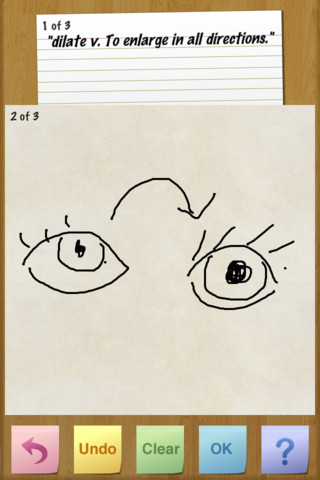
StoryLines allows students to work in groups to create a "Story Line". Each student selects a vocabulary word or quote to begin a StoryLine. Then the student passes the iPad to the next student who then illustrates the word or quote. The iPad is then passed to the next student who has to title the StoryLine and can only use the previous drawing as a reference. This process goes on until the StoryLine starter gets their iPad back. The app then replays every action from the process.
Tuesday, August 21, 2012
Socrative
Saturday, August 4, 2012
Back To School
The Tech Lab and Mr. Beard are ready for the new school year to begin. Prepare your brain for a year of knowledge-cramming tech fun!
Tuesday, April 17, 2012
St. James Features...
Yvette and Shanna's Life in First Grade
Steven Goes to First Grade
Monday, April 9, 2012
Wednesday, March 14, 2012
Google Earth

Here's a few coordinates to try if you'd like:
- 52 15 3 N, 2 15 3 W
- 51 22 21 N, 1 50 51 W
- 51 22 56 N, 3 20 46 W
Tuesday, March 6, 2012
QR Code Scavenger Hunt
I hid 18 QR Codes around the class and in the "Green Room". Students scanned the QR Codes with their iPads which then released a question I encoded. It is a lot of fun and would be a great way to review material for a test. Check out the video to see how it went.
Thursday, January 26, 2012
Keyboarding
Mrs. Adams' 1st grade class working on a keyboarding lesson in Pages. Go little fingers go!


Thursday, January 19, 2012
The Green Room
The Green Room is our very own recording room where students film their own movies, commercials, and videos. This is a group of students working on their commercial for the board game they made out of recyclable materials. The students wrote their own scripts, recorded their own commercial, and will edit their video using iMovie.


Thursday, January 12, 2012
Working Hard
K4 students working hard on colors, numbers, letters, and more.


Tuesday, November 15, 2011
HyperBlast!!
1st - 3rd graders are using a new app called HyperBlast in the Tech Lab this week. HyperBlast is a math app where students can learn math facts while defeating robots. Students also get to ride through tunnels on a motocraft dodging the Queen's minions. The app requires students to complete addition, subtraction, multiplication, or division problems to move on in the game and to earn a higher score. The student is also able to choose a level of difficulty that suits their needs. If you have an iPad at home you should definitely download this app. It is FREE!!


Thursday, November 10, 2011
Project: Repurpose
5th grade students have been working on a recycling project called "Project: Repurpose" where the students collect recyclable materials to create a product that can be used in everyday life. Students have been collecting paper, plastic, and cardboard materials to use in making their group projects. At the end of the project students will write, record, and edit a commercial to tell how they made their products, what it is used for, and why recycling/repurposing is so important. The pictures below show a few groups working together to construct their products.
Dog House

Volleyball Net

Lemonade Stand

Table and Accessories
Friday, November 4, 2011
Saving the World From Evil Villains!!
2nd-4th grade classes used the app "Numbers League" to rid the world of evil doers. Students first created their own Heroes, then solved math problems to help capture the Villains.


Thursday, October 20, 2011
Keynote
This week 1st grade students are using Keynote to answer questions in the game "Describe That Picture." We began the lesson with defining what an adjective is and how to use one. We then looked at Halloween pictures and described them with the most creative adjectives we could think of.


Wednesday, October 5, 2011
Subscribe to:
Posts (Atom)